
The latest “R2026x GA” release is now live. This update for Part Design focuses on enhancing usability and improving the stability of the computing engine. Key new features directly impacting your design workflow are as follows:
Creating MultiHoles using all Point Types
The MultiHole feature now supports a broader range of selection points.
Benefits: Design complex holes efficiently using any point type.
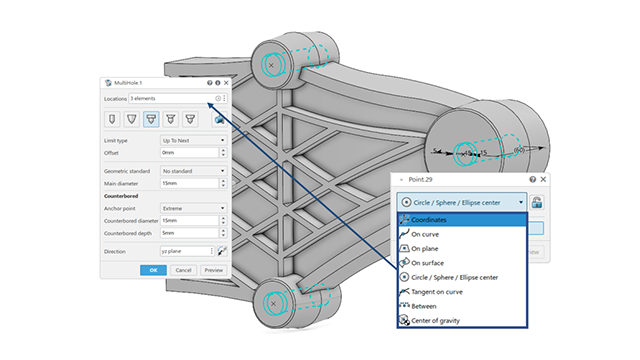
You can create MultiHoles by selecting the following points:
・Point using coordinates.
・Point on a curve.
・Point using the center of a circle / sphere / ellipse.
・Point tangent on a curve.
・Point between two points.
・Point using the center of gravity.
Centralized Diagnosis in Design Helper
You can access centralized diagnostics directly on the current feature, eliminating the need to navigate between parent and child elements in Design Helper  .
.
Benefits: You get improved user experience while viewing information and suggestions about selected feature.
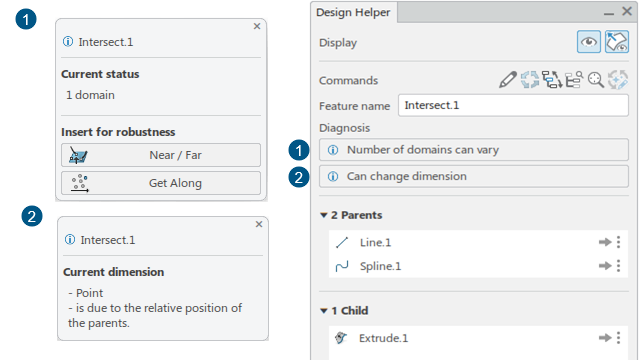
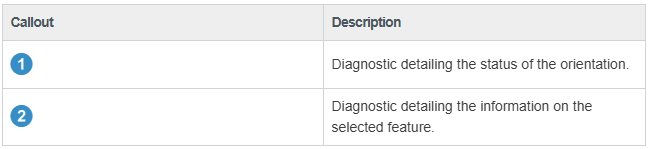
There are several improvements:
・New diagnosis to detect features with unstable orientation.
・Access to robustness features directly on the current feature, rather than its parent.
・The connexity, dimension, orientation, and strategy diagnostic sections are hidden respectively if:
 ○the number of domains of the current feature never varies
 ○the dimension of the current feature never changes
 ○the orientation is stable
 ○no strategy is applied
Adapt Fillet Radius Strategy in Update Modes
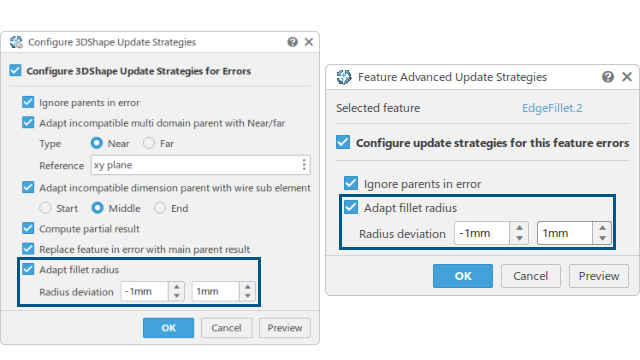
You can automatically resolve the update error in the edge fillet and face-face fillet features caused by an incompatible radius value. To do so, select Adapt fillet radius in the Configure 3DShape Update Strategies or Feature Advanced Update Strategies dialog box, and specify the positive and negative deviation values in Radius deviation.
Benefits: You can efficiently solve the update errors concerning the fillet radius.
Renaming Multiple Features
You now have the capability to rename multiple features using the Shortcut Menu.
Benefits: Rename multiple features quickly.
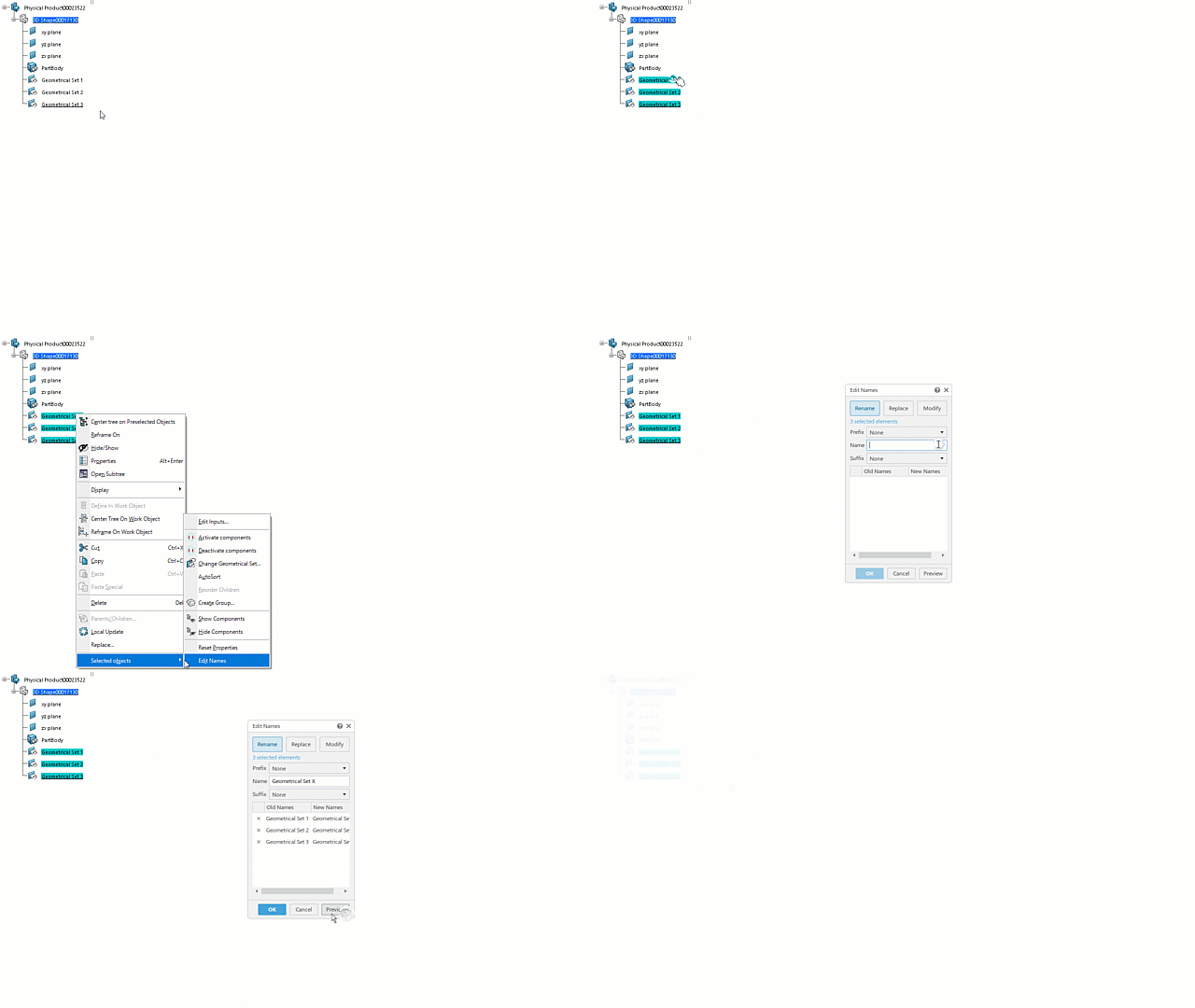
You can rename the following features:
・OGS object
・GS object
・PartBody object
・Axis System
・Sketches
・GSM and mechanical features