
We will show you how to manage colors in the CATIA workbench so that it is easy for you to see.
1. Select Tools > options from the menu bar.
j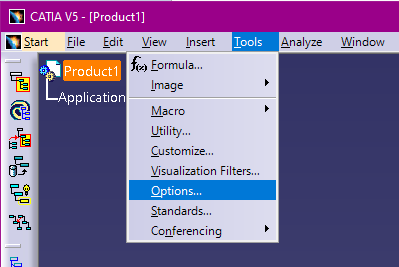
2. Navigate Display > Color
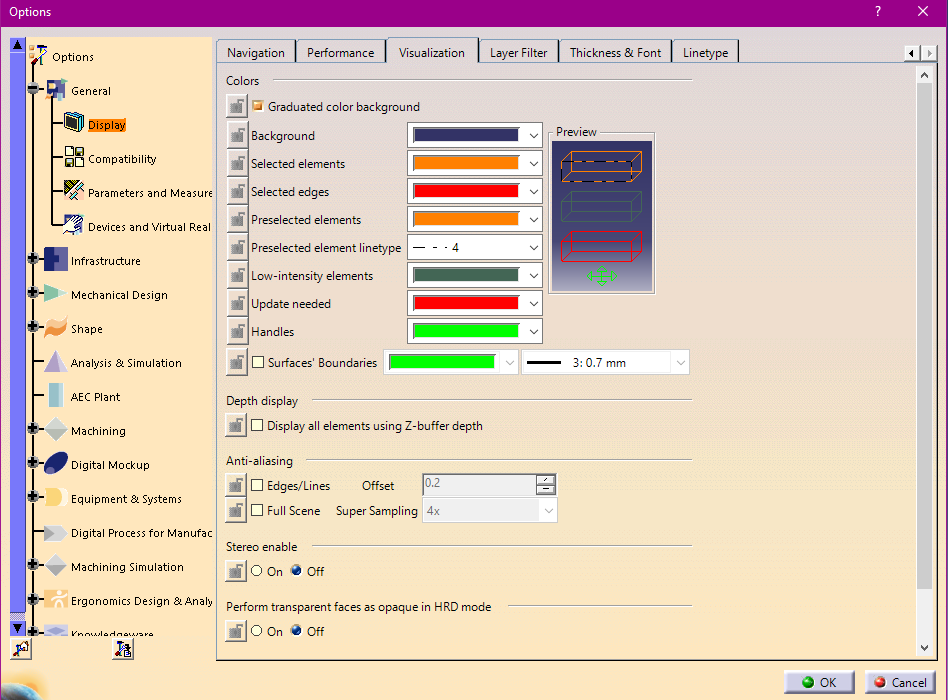
You can manage various colors, such as background color, selected object color, edge color, etc.